IoT device attach reject on roaming networks: causes and fixes

Mikk Lemberg
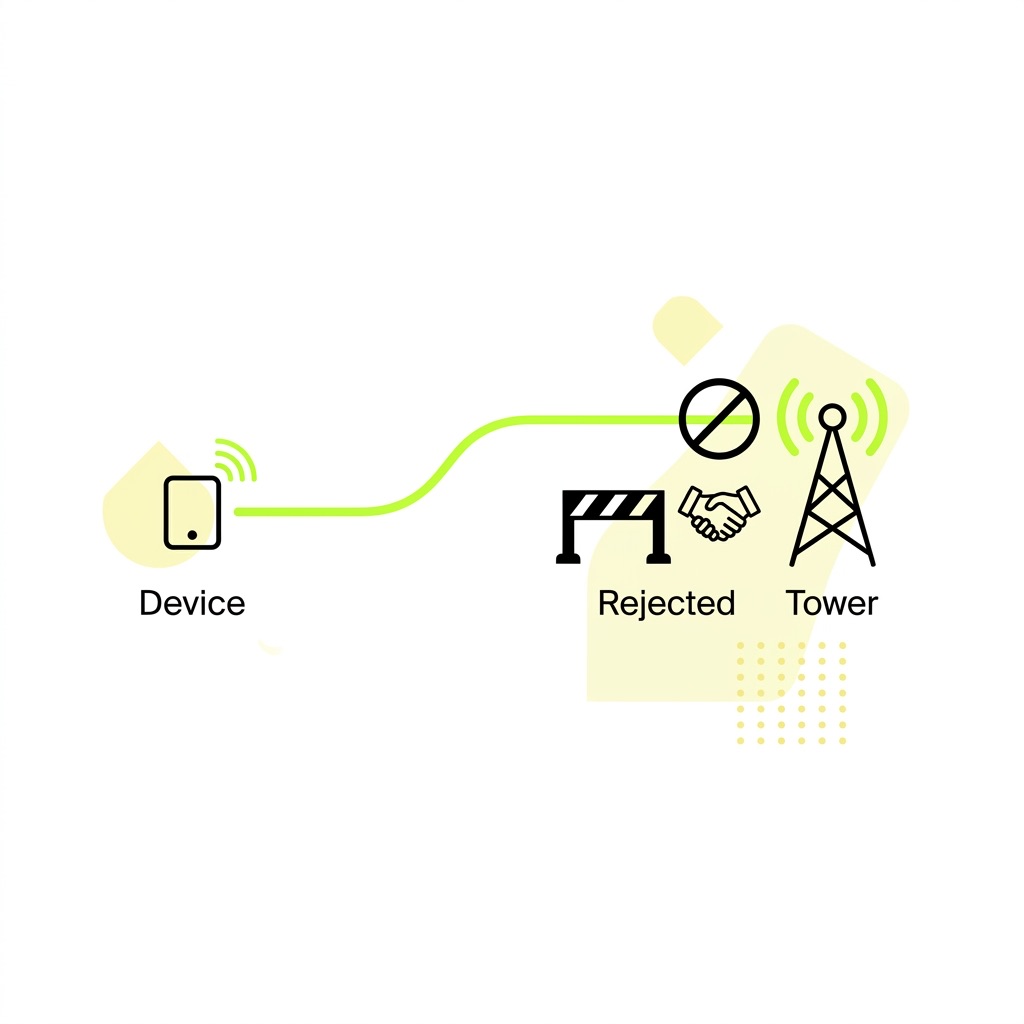
Your device powers on in a new country, finds a cell tower – and gets rejected. No data session, no fallback, no error message that makes obvious sense. This failure mode is particularly frustrating because it mimics a hardware fault while being entirely a configuration or provisioning problem.
Here's how to diagnose it systematically.
In this article
- What "attach reject" actually means
- EMM vs ESM: where the reject is coming from
- The five root causes
- How to read the reject codes
- Diagnosing with AT commands
- Structural fixes
- Frequently asked questions
- Key takeaways
What "attach reject" actually means
When an LTE device attempts to register on a network, it initiates an EPS Attach Request – a NAS-layer (Non-Access Stratum) procedure defined in 3GPP TS 24.301. The visited network's MME (Mobility Management Entity) evaluates the request against several criteria: is the SIM valid? Does a roaming agreement exist? Is the device's IMEI permitted? Does the requested APN exist?
If any check fails, the MME returns an Attach Reject message containing a cause code. This is not a radio failure – the device has already found a cell and established a radio connection. The rejection happens at the core network level, which is why you often see signal bars on the modem while data is completely unavailable.
That distinction matters because it changes where you look. Radio problems produce no signal or a failed cell search. Attach rejects mean the network found your device and chose to turn it away.
EMM vs ESM: where the reject is coming from
Attach failures split into two categories that point in different diagnostic directions.
EPS Mobility Management (EMM) causes relate to the device's right to be on the network at all – identity, subscription validity, roaming permissions, and IMEI status. EPS Session Management (ESM) causes relate to the data bearer setup that follows a successful attach – APN resolution, PDN type negotiation, and authentication. ESM failures appear afterthe device has technically registered but cannot establish a data session.

Getting the actual cause code from your modem logs is the essential first step. Without it, you're guessing.
The five root causes
1. No roaming agreement – or a steering block
This is the most common source of EMM #11 and #14. If your SIM's home operator has no bilateral roaming agreement with the visited PLMN, the attach will be rejected at the home HSS/HLR level. The visited network checks back with the home network during authentication, and the home network simply refuses.
Even where agreements exist, roaming steering can silently block registration. As explained in the magic of roaming for IoT, home operators can steer devices away from non-preferred partners either at the network level (the HSS returning an error) or at the SIM level via a preferred network list. Steered SIMs can appear to have no service in a market that is technically covered – one of the more insidious failure modes in fleet deployments.
Once a network gets added to the SIM's forbidden PLMN list after a reject, the device stops trying that network, sometimes permanently until a SIM reset. At scale, this creates what looks like a regional outage with no obvious cause in basic diagnostics.
2. SIM provisioning and subscription gaps
EMM #3 (Illegal UE) and #6 (Illegal ME) point to identity problems. Cause #3 usually means the IMSI is not recognized or the SIM's subscription is not active in the home network's HSS. Cause #6 is an IMEI check failure – the Equipment Identity Register (EIR) on the visited network has flagged the device as barred. Understanding how identifiers like IMSI, IMEI, and ICCID relate to each other is useful context here, since confusion between them is a common source of provisioning errors.
IMEI barring is more common than people expect in roaming deployments. Some markets run IMEI validation at registration; if your device hardware hasn't been registered or appears on a blocklist, it will be rejected with #6 regardless of SIM validity. Cause codes #20 and #21 (MAC failure, sync failure) point instead to a SIM authentication problem – the challenge-response exchange between the SIM and the network's authentication centre (AuC) has failed. This can indicate a corrupted SIM, a mismatched authentication algorithm, or in rare cases a cloned SIM.
3. APN misconfiguration
APN errors produce ESM-layer rejects and are the most common preventable failure in roaming IoT deployments. The device attaches successfully at the EMM level, then fails to establish a PDN connection because the APN string is absent or misspelled, the APN exists on the home network but isn't accessible via the visited network's roaming gateway, or the PDN type (IPv4/IPv6/dual) doesn't match what the home network has provisioned.
As covered in our APN explainer, most IoT modules require manual APN configuration – unlike smartphones, they rarely receive OTA APN settings. If the APN is hardcoded incorrectly at the firmware level, every device in the batch will fail silently at the data session step while appearing "registered" from a network status perspective. We've seen this play out across entire production runs where the device appeared to have signal but couldn't move a single byte of data.
4. Unsupported RAT or band
If the device's radio hardware doesn't support the bands used in the visited market, it won't find suitable cells. This produces a "no service" state rather than a formal attach reject, but it's frequently misdiagnosed as one because the outcome is identical – no connectivity.
More subtly, subscriptions provisioned for specific RATs (for example LTE-M only) may find that the visited network either doesn't support that technology or has no agreement for it. GSMA's Mobile IoT Roaming guidance notes that LTE-M and NB-IoT roaming agreements lag significantly behind standard LTE. A device that works fine domestically on LTE-M may simply find no viable roaming partners abroad – a gap that doesn't show up in standard coverage checks.
5. Permanent roaming restrictions
Several markets actively block devices that have been roaming beyond a defined threshold – typically 90 to 120 days. When this threshold is crossed, the device receives an attach reject that looks identical to a subscription failure. The fix isn't a modem restart – it's a fundamentally different SIM strategy for that market. We cover the specific rules for Turkey, Brazil, China, India, and others in detail in navigating the maze of roaming restrictions.
How to read the reject codes
The reject cause arrives in the NAS Attach Reject message. To surface it from the modem, you typically need access to NAS-layer logs rather than just registration status URCs. Most commercial modules expose this through diagnostic interfaces or extended AT commands:
- Quectel modules:
AT+QENG="servingcell"andAT+QNWINFOfor network state; NAS cause codes appear in detailed diagnostic output - u-blox SARA series:
+CEREGURC extended format includes reject cause in some firmware versions - Sierra Wireless HL series:
AT+CEERfor extended error reporting
The AT+CEREG? command (LTE/4G) and AT+CREG? (2G/3G) confirm registration state but typically return only the state code (0–5), not the EMM cause. Our beginner's guide to AT commands covers registration status codes in full – CREG: 3means registration denied. For full NAS cause code visibility you generally need either a diagnostic port capture (QXDM for Qualcomm-based modules) or module-specific extended logging enabled via the modem's debug interface.
Diagnosing with AT commands
Work through this sequence when a device fails to attach on a roaming network:
- Confirm radio registration state:
AT+CREG?(2G/3G) orAT+CEREG?(LTE). A response of+CEREG: 0,3means registration denied at the network level – this is your EMM reject. - Check the current PLMN:
AT+COPS?returns the currently registered operator. If blank or returning an unexpected PLMN, the device has either not found a network or is cycling through rejects. - Scan available PLMNs:
AT+COPS=?forces a full network scan and returns all visible operators. If known operators appear here but the device won't register, the reject is at the provisioning or agreement layer – not signal. - Check APN configuration:
AT+CGDCONT?lists configured PDP contexts. Verify the APN string matches exactly what your operator has provisioned. A missing or incorrect APN will pass EMM but fail ESM. - Attempt manual PDP activation:
AT+CGACT=1,1– if this returns an error after successfulCEREGregistration, the failure is at the ESM/APN layer. - Reset the forbidden PLMN list: Some modules cache rejected networks in a forbidden PLMN list stored on the SIM.
AT+CFUN=0followed byAT+CFUN=1(full modem restart) or a SIM power cycle can clear this and allow fresh attach attempts.

Structural fixes
Individual rejections get resolved with command sequences. Repeated or systematic rejections across a fleet require structural changes:
- Switch to a non-steered multi-network SIM: Steered SIMs are the invisible hand pushing devices toward specific operators, often causing systematic attach failures in markets where the preferred partner has poor coverage. Non-steered SIMs let the device select based on signal quality – as it should.
- Use eSIM with remote profile switching: When a roaming attach fails due to a missing agreement or a permanent roaming threshold, an IoT eSIM allows the home operator to push a local carrier profile OTA – converting the device from a roaming subscriber to a domestic one without touching the hardware. This directly addresses permanent roaming restrictions and sidesteps PLMN-level blocks. It's also worth understanding how multi-IMSI SIMs compare to eSIM for deployments where on-card profile switching is the alternative.
- Validate APN configuration at production time: APN misconfigurations are routinely baked into firmware during manufacturing and discovered only at deployment. Establish a standard AT command validation sequence – including a live PDP activation test – as part of factory acceptance testing. Catching
AT+CGDCONTerrors before shipment costs nothing; catching them in the field costs a support escalation per device. - Verify LPWA roaming coverage separately: If you're deploying LTE-M or NB-IoT devices, confirm that your SIM provider has explicit LTE-M/NB-IoT roaming agreements in each target market. Standard LTE coverage maps don't apply. The GSMA Mobile IoT Deployment Guide provides guidance on which markets have functional LPWA roaming.
- Audit IMEI registration in target markets: For deployments in markets with IMEI validation requirements, pre-register device IMEIs through the relevant national registry before shipping. This eliminates EMM #6 as a failure mode before a single unit leaves the warehouse.
- Review SIM provisioning state before shipping: Confirm that SIMs are active – not in test state or suspended – and that the subscription includes data roaming permissions for target regions. A connectivity management platformgives you real-time visibility into SIM state across your entire fleet without relying on field reports.
Frequently asked questions
What's the difference between an attach reject and a registration timeout?
A registration timeout means the device found no suitable cell or the network did not respond – it's typically a coverage or radio issue. An attach reject means the network responded with a specific refusal. The modem will show +CEREG: 0,3(denied) for a reject versus +CEREG: 0,2 (still searching) for a timeout. The diagnostic path is completely different, so confirming which state you're in before debugging saves significant time.
Why does the device show signal bars but still have no data connection?
Signal bars reflect radio-layer connectivity – the device has found a cell and established a physical channel. Data failure at this point is almost always an EMM or ESM-layer problem: a rejected attach, failed APN negotiation, or subscription issue. Check AT+CEREG? to confirm registration state, then proceed to APN verification via AT+CGDCONT?.
Can a firmware update on the modem cause attach rejects?
Yes. Firmware updates occasionally reset APN configurations, change default PDN type preferences (IPv4/IPv6), or alter the preferred PLMN list. If rejects begin immediately after a module firmware update, check AT+CGDCONT? to verify the APN profile is still present and correctly configured before investigating anything else.
Key takeaways
- Attach rejects are core network decisions, not radio failures. A device showing signal bars with no data has been rejected at the NAS layer – check EMM and ESM cause codes, not antenna hardware.
- EMM cause codes (#3–#21) point to identity and roaming permission issues; ESM cause codes (#27–#52) point to APN and PDN configuration failures. Each requires a different diagnostic approach and a different fix.
- APN misconfiguration is the most common preventable cause – validate APN settings as part of factory acceptance testing, not field debugging.
- Steered SIMs and forbidden PLMN list accumulation cause silent fleet-wide outages that resemble hardware problems. Non-steered SIMs and eSIM profile switching eliminate this failure class entirely.
- Permanent roaming thresholds in markets like Brazil, Turkey, and China require a structural solution – local carrier profiles via eSIM – not a modem restart.
If you're seeing systematic attach rejects across a deployment and can't isolate the cause, talk to 1oT's connectivity team. We've worked through most of these failure patterns at scale and can usually identify the root cause from a modem log and your target market list within a single call.